
Phone2

AI Receptionist

New

Calling

Messaging

Shared numbers

Caller ID

Call routing

Call analytics

Contacts

Unified inbox

Slack integration

Zapier

New

AI transcription

Integrations

Small business

Startups

Sales teams

Real estate

Landlords

Contractors

Bookkeepers

Law firms

Recruiting teams

Support & success

View all industries

Local numbers

Any US or Canada area code.

Port your number

Keep your existing number.

Pricing

Help Center

Guides, FAQs, and tutorials.

Blog

Product updates and best practices.

Compare providers

See how Phone2 stacks up.

LLC phone numbers

Numbers for new businesses in top states.

Lookup API

New

Free phone number lookup tool.

Contact

Talk to the Phone2 team.

Log inSign Up
Discover integrations/Zapier
Zapier

Zapier

Official integration by the Phone2 team

Get started

Available on

Basic, Pro, Max

Resources

  • Phone2 on Zapier
  • All integrations

Automate your phone workflow by connecting Phone2 through Zapier

zapier.com/app/zaps
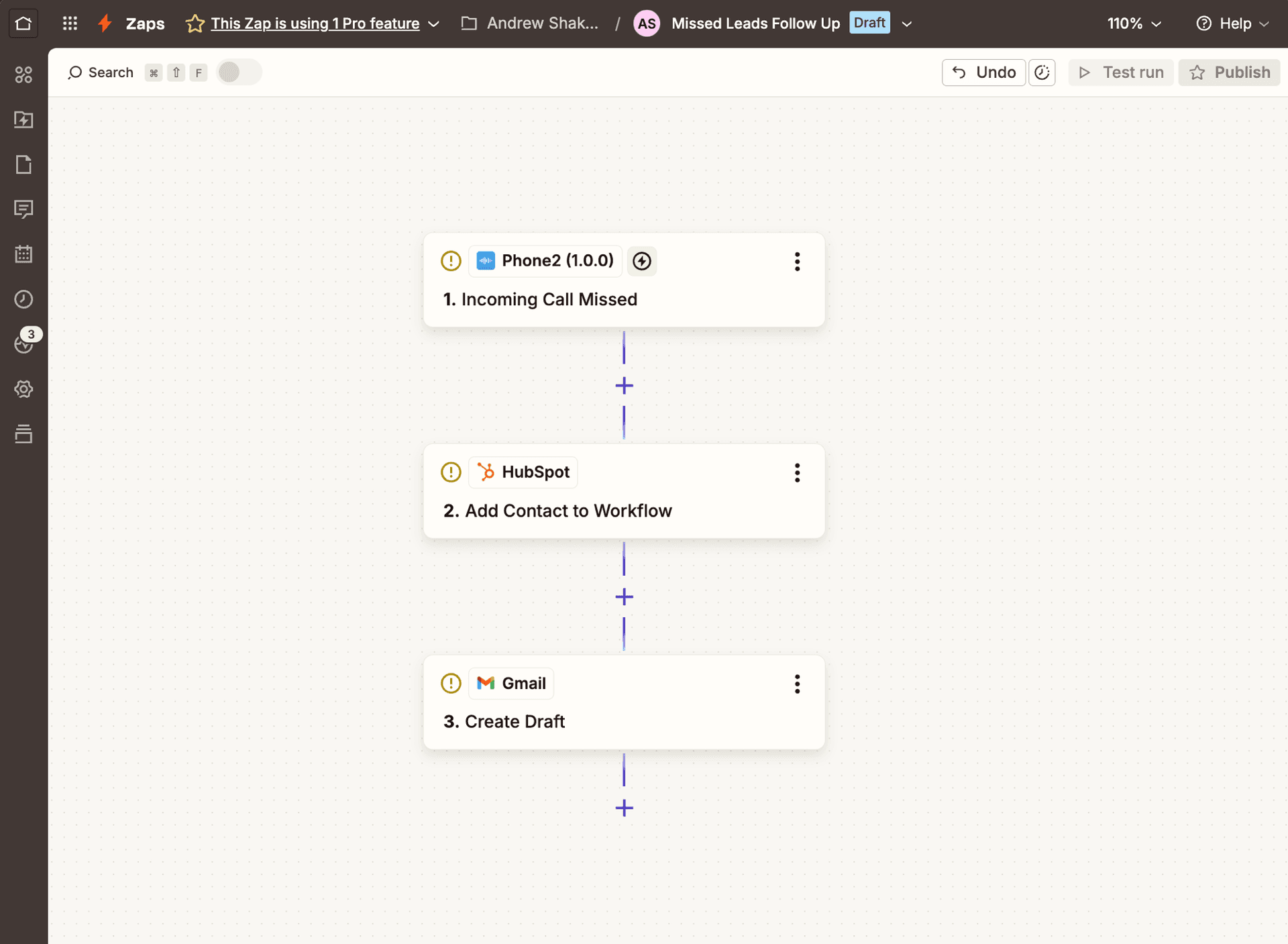
Phone2 Zap connecting incoming calls to HubSpot and Gmail

Overview

Connect Phone2 to 8,000+ apps without code. Every call, text, and voicemail becomes a Zapier trigger you can route into your CRM, helpdesk, spreadsheet, or chat tool — and Phone2 actions let any other app create contacts, send texts, or look up records on your phone system.

Get started

  1. 1Sign in to Zapier and search for "Phone2" in the app directory.
  2. 2Connect your Phone2 account using your API key.
  3. 3Pick a trigger, choose an action, and turn the Zap on.

Triggers

11 · all instant
Incoming Call Received
Incoming Call Answered
Incoming Call Missed
Incoming Call Completed
Outgoing Call Started
Outgoing Call Completed
Incoming Message Received
Outgoing Message Delivered
Call Recording Completed
Call Transcript Completed
Call AI Summary Completed

Actions

14 actions
Create or Update Contact
Update Contact
Archive Conversation
Mark Conversation as Read
Find Calls
Find Contact by Phone
Find Conversations
Find Messages
Find Phone Numbers
Find Teams
Get Call by ID
Get Call Recordings
Get Contact by ID
Get Message by ID
zapier.com/app/phone2
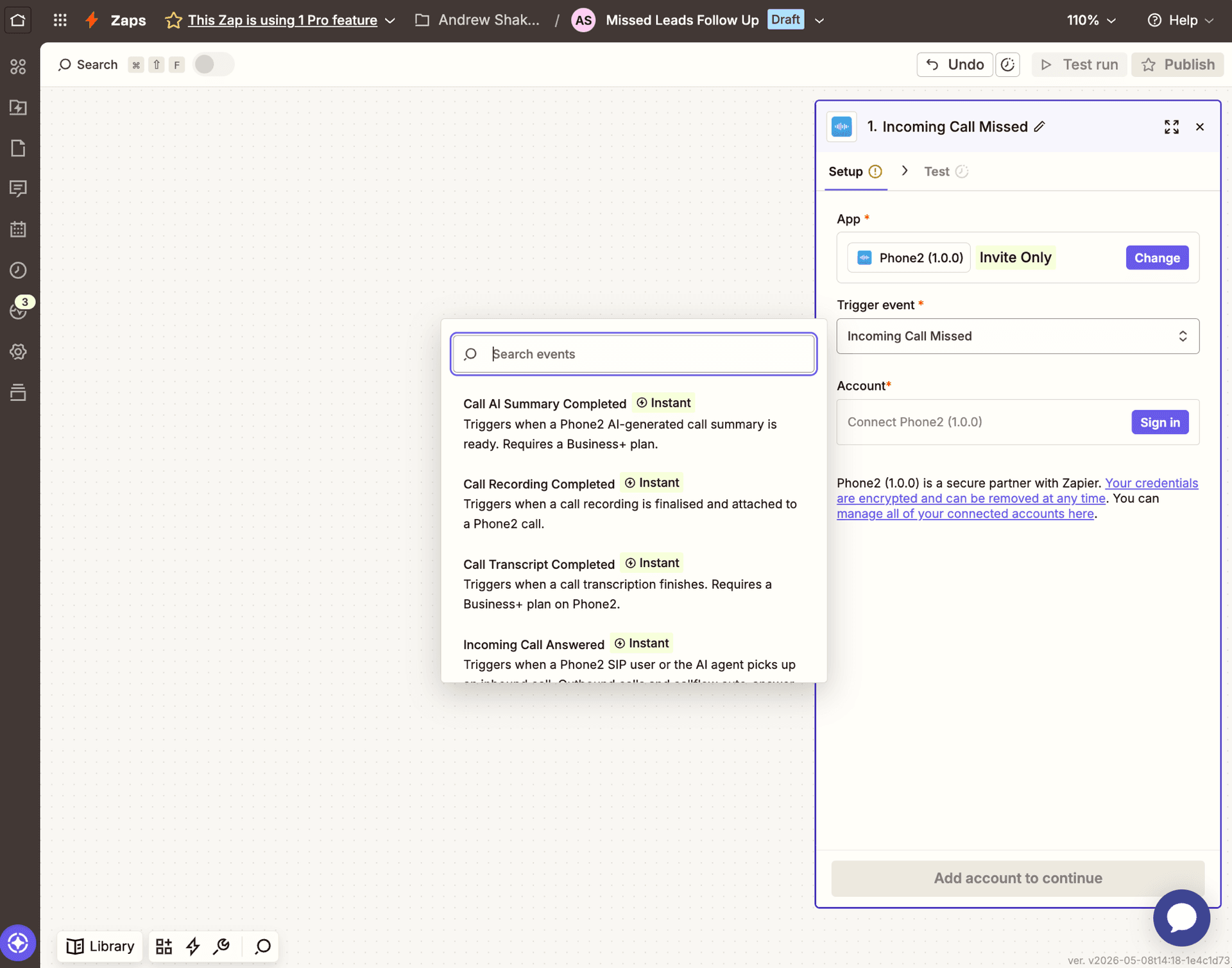
Phone2 trigger event picker in Zapier

You might also like

Slack
Slack
FAQ

Frequently asked questions

Everything you need to know about the Phone2 Zapier integration.

Log in to Zapier, search for "Phone2" in the app directory, and connect it using your Phone2 API key (you'll find it in your Phone2 account settings under Developer). Once connected, you can use any Phone2 trigger or action in your Zaps.

Zapier's free plan supports single-step Zaps, which is enough for many automations like "missed call → Slack alert." For multi-step Zaps (e.g., "missed call → create HubSpot contact → send Gmail draft") you'll need a paid Zapier plan. Phone2 doesn't charge anything extra on top of Zapier.

Incoming call started, incoming call missed, call ended, new voicemail, new SMS received, and new contact added. Each event includes the full payload — caller info, timestamps, transcripts where applicable — so you have everything you need downstream.

Yes. Phone2 exposes Zapier actions including Send SMS, Create Contact, Update Contact, Add Note, Find Contact, and Add Tag. You can fire these from any Zapier trigger — a new row in Google Sheets, a Stripe payment, a form submission, anything.

Yes. Phone2 also publishes a Make module with the same triggers and actions. If you prefer Make for visual scenario building, it works the same way.

Yes. Phone2 connects to Zapier using a per-account API key that you can revoke at any time. Calls, texts, and contact data are sent over HTTPS, and Zapier never stores your Phone2 credentials beyond the encrypted connection record.

If your CRM is on Zapier, yes — that includes Salesforce, HubSpot, Pipedrive, Zoho, Close, ActiveCampaign, Copper, Freshsales, and most others. You can also use Phone2's direct CRM integrations for two-way sync where available.

Phone2 is a business phone system for teams. It gives your team a shared business number with HD calling, business SMS, AI transcription, voicemail, call routing, and contacts — usable from any device. The Zapier integration brings every call, text, and voicemail into the rest of your toolset.

Phone2

Your team's business phone

hello@phone2.io
Dover, DE • Vancouver, BC

Product

  • Features
  • Pricing
  • Integrations

Compare

  • All comparisons
  • Phone2 vs Google Voice
  • Phone2 vs Grasshopper
  • Phone2 vs RingCentral
  • Phone2 vs Dialpad

Resources

  • Help Center
  • Lookup APINew
  • Phone Numbers
  • Area Codes
  • LLC Phone Numbers
  • FAQ
  • Status
  • AI Facts
  • llms.txt

Company

  • Blog
  • Contact Us
  • Terms of Service
  • Privacy Policy

© 2026 Phone2 Inc. All rights reserved.

All systems operational